Create a MAC-Specific Provisioning Template and Role
User's Guide feedback on: Cisco Server Provisioner 6.6 User's Guide ("Chuck Berry") - Create a MAC-Specific Provisioning Template and RoleProvision_Ubuntu_Debian_MAC-SpecTutorial: Provision Ubuntu and Debian > Create a MAC-Specific Provisioning Template and Role /Dear User's Guide Staff,
Create a MAC-Specific Provisioning Template and Role
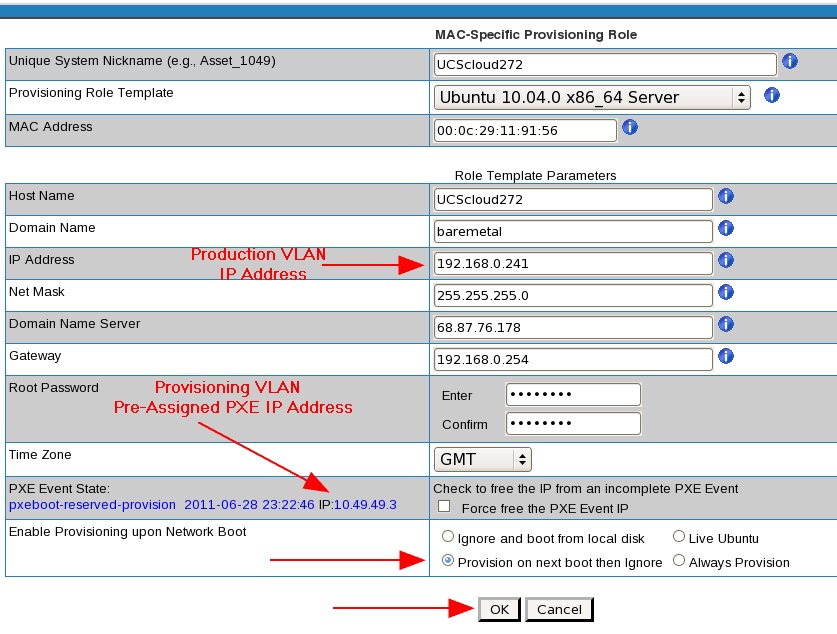
With this initial release of Provisioner 6.3.0, the provisioning of Ubuntu and Debian is supported in a single NIC-single VLAN configuration only. It is not yet supported in a dual NIC-dual VLAN configuration due to lack of an Internet proxy.
First, you must create a Template (what to install) then create a Role for a system and assign the Template to that Role. If you create multiple Templates, you can easily change what OS to install on the system by simply assigning a different Template to the Role.
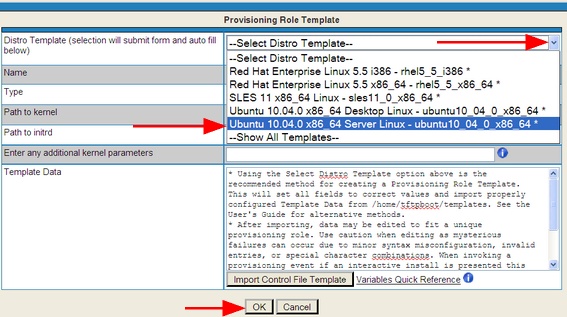
Select what you want to provision with this Template:
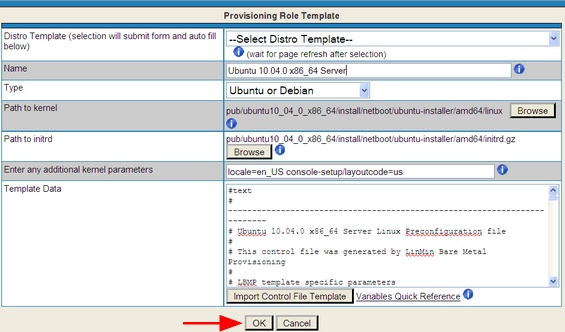
After you have made your selection, the form’s fields will be automatically populated:
You will then be brought back to the Templates page:
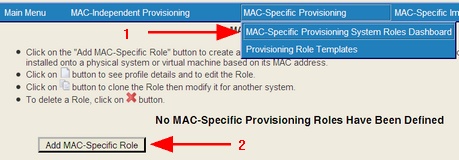
Now, create (or edit an existing) Provisioning Role:
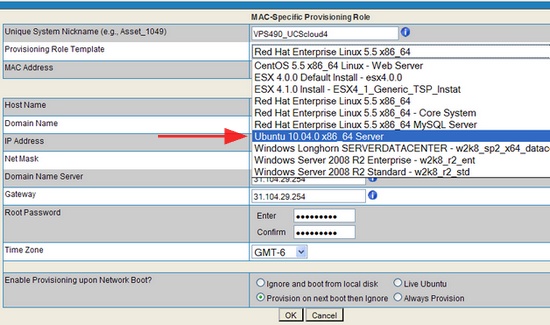
Select the Template for your Role:
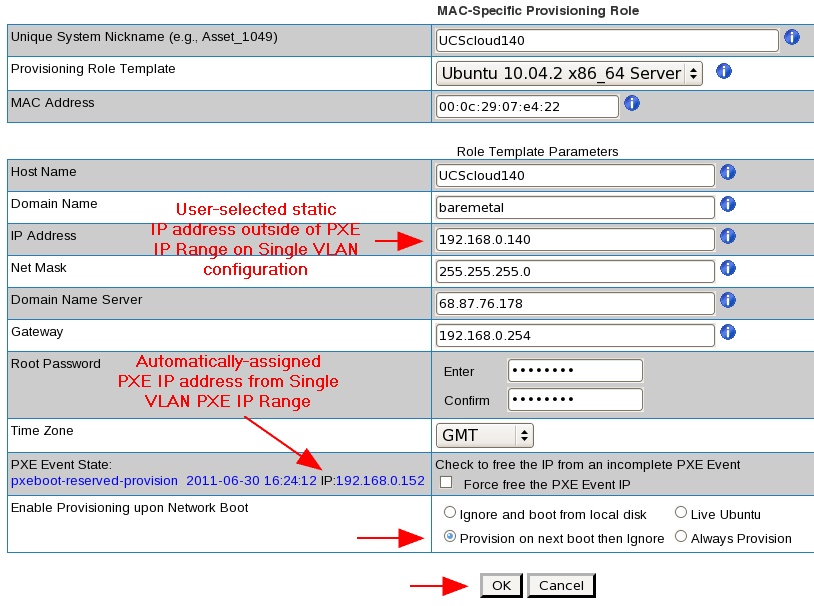
Complete the form and select the "Next Boot" option in this single (V)LAN configuration:
MAC addresses must be entered in colon-delimited format, e.g., 00:50:56:49:49:49.
And you will be brought to the Roles Dashboard:
NOTE: Single VLAN configurations will be provisioned using an IP from the automatically-assigned PXE Event IP range, then switch to the user-selected static IP address outside of the PXE Event IP range.
Important: learn more about PXE IP Addresses. With this initial release, there is no support for PXE Event States when provisioning Debian and Ubuntu.
Certain older Ubuntu and Debian distributions require kernel parameters to be entered in the GUI. This is also how you would specify which NIC to be use for provisioning multi-NIC systems.
Finally, boot the Client System to the network, and it will be provisioned with the operating system you selected. It will then reboot and be fully operational.