User's Guide feedback on: Cisco Server Provisioner 6.6 User's Guide ("Chuck Berry") - Create a MAC-Independent Provisioning RoleProvision_w2k8_MAC-IndyTutorial: Provision Windows Server 2012 & 2008 and Windows 8 & 7 > Create a MAC-Independent Provisioning Role /Dear User's Guide Staff,
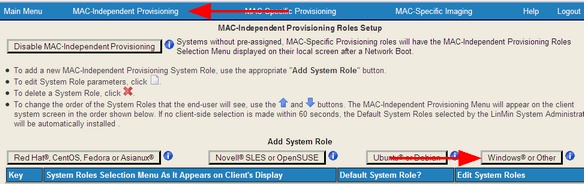
After you have used loadlinux.pl to prepare your ISO media, access the MAC-Independent Provisioning dashboard and select the "Add System Role" option:
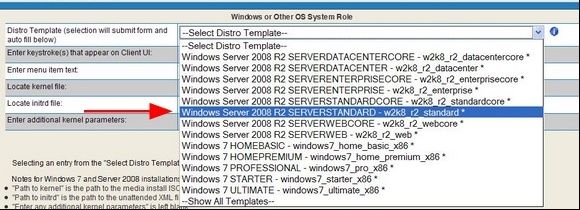
Select the distro you want to provision (remember, if there’s an asterisk next to a dropdown selection, it means that the distro media is loaded and ready for use):
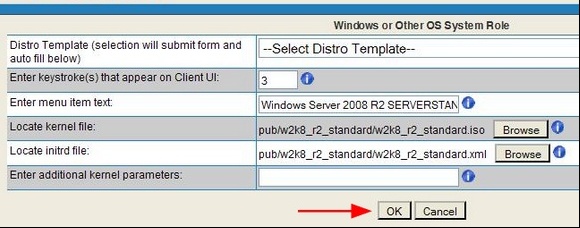
After you have made your selection, the form’s fields will be automatically populated:
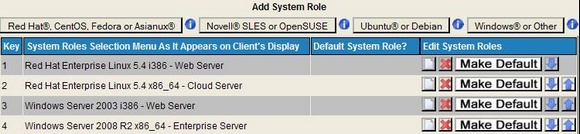
Click "OK" and you will see your newly created MAC-Indy Provisioning Role in the MAC-Independent Roles page:
The time zone for MAC-Independent Provisioning is established when the Windows Install Instance is created, and is stored in the /home/tftpboot/pub/w_your_instance_name/w_your_instance_name.xml.
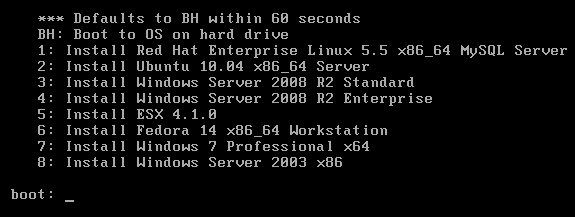
Select the OS or Hypervisor to be installed by number(s) or letter(s) using the Client system's keyboard. If you have set a "Default", that selection will be installed "unattended" starting in 60 seconds.
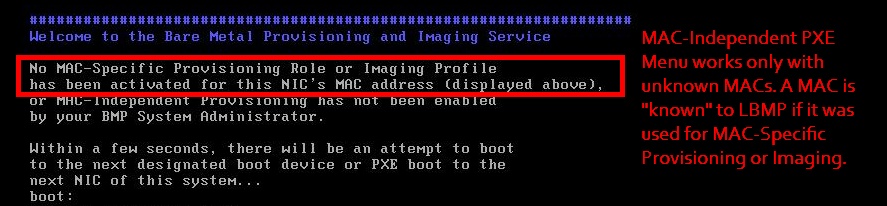
Note: this screen will not appear on a client system if either a MAC-Specific Provisioning Role or a MAC-Specific Imaging Profile already exists for it. MAC-Independent (PXE Menu) provisioning works only with unknown MACs. A MAC is "known" to LBMP if it was used for MAC-Specific Provisioning or Imaging.
If the MAC address is known, the client system will instead display a screen similar to the one below:
When using MAC-Independent provisioning, the installed system will have a dynamic (DHCP) IP address.
Client IP Address and PXE Event States
Starting with the Chuck Berry Supplemental Package that supports the provisioning of Windows Server 2012 and Windows 8, systems provisioned with Windows Server 2012 & 2008 and Windows 8 & 7 will have their IP addresses set as follows:
•MAC-Independent Provisioning: the final PXE Event State is "pxeevent-provision-rebooted".
Prior to the Chuck Berry Supplemental Package:
•MAC-Independent Provisioning: the final PXE Event State is "pxeevent-macindy-rebooted".