•Reference the generated sample code (calls and return codes) to integrate provisioning and imaging functions into your application
Note: before using the API, it is important that you review individual tutorials for provisioning (by OS, in "Create a MAC-Specific Provisioning Template and Role") and imaging so you understand Provisioner functionality and limitations when using the GUI.
Many hosting companies integrate Provisioner into their control panels in order to reduce their operational costs and to provide their customers with a self-service environment.
SeFlow.net is a leading Italian hosting company with thousands of systems being regularly provisioned and re-purposed using Cisco Server Provisioner. SeFlow.net empowers its dedicated server customers to re-provision systems 24x7 with different types of Linux and Windows operating systems with no manual intervention by SeFlow.net staff, providing best-in-class Quality of Service.
Below are a few screenshots showing SeFlow.net's customers' experience.
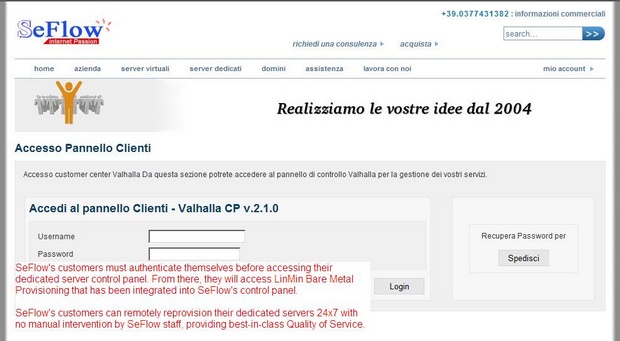
SeFlow.net customers securely access their systems with strong authentication:
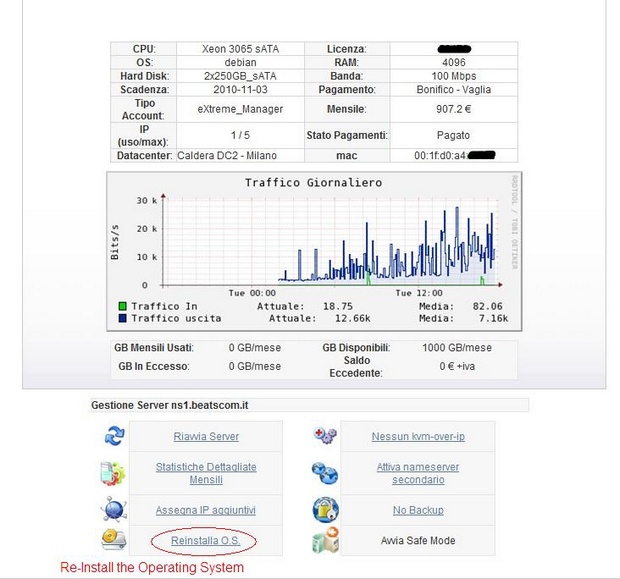
From the customized control panel, SeFlow.net customers can elect to re-provision their server:
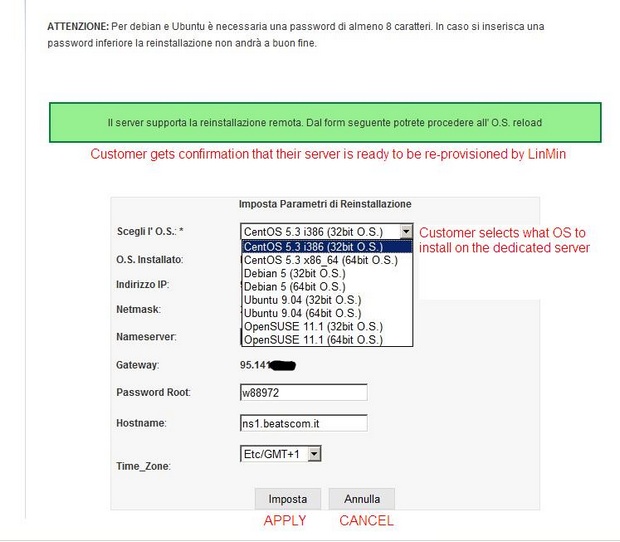
First they select the new Linux distribution or Windows operating system they wish to provision on their system:
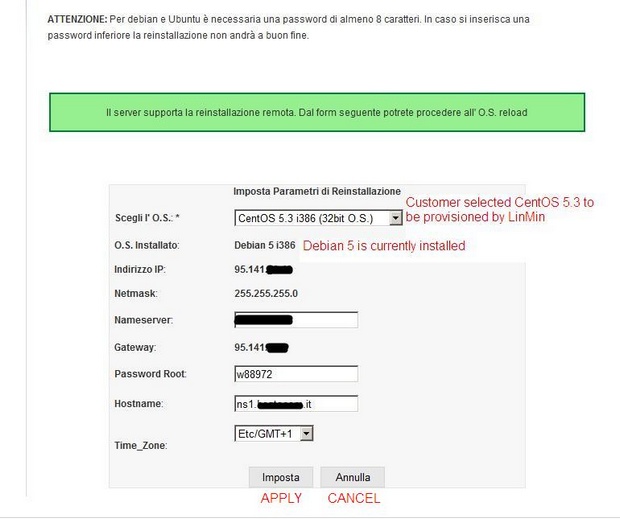
Then confirm all the system settings:
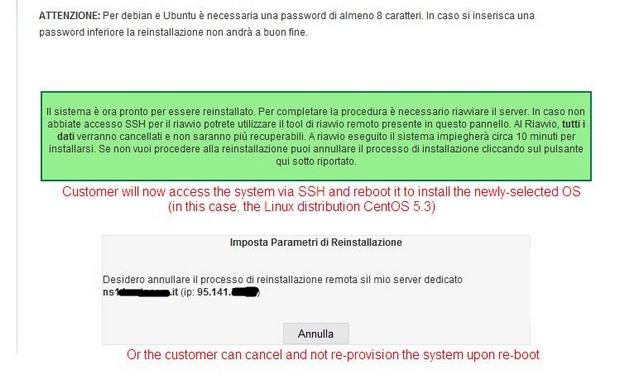
The system will be re-provisioned by the Provisioner PXE Server when the customer reboots the system:
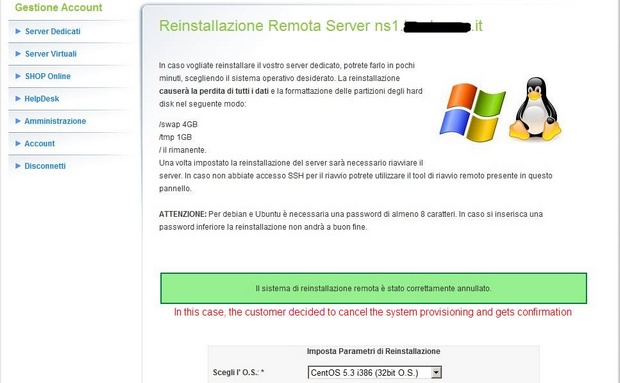
But if the customer doesn't want to re-purpose the system after all, the operation can be canceled and the Provisioner PXE Server will not provision the client system:
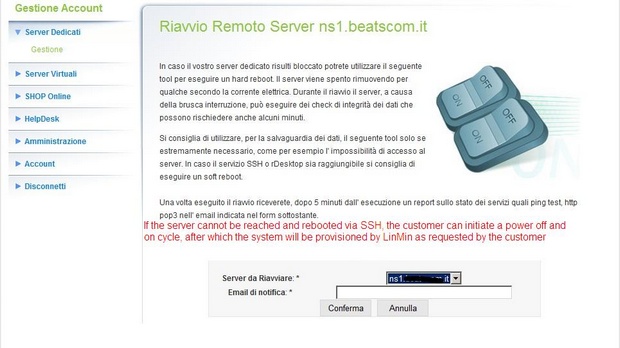
If the customer can't access or reboot the system, the system can be power-cycled and be provisioned by the Provisioner PXE Server automatically:
A fully operational Linux system awaits the customer upon reboot.