When you install Provisioner, MAC-Independent Roles values for host name and other parameters are automatically embedded in the control files for each operating system. All provisioned systems will have the same assigned values and will be assigned dynamic IP addresses by your existing (non-Provisioner) authoritative DHCP server.
The defaults are:
Client host name: pxeprovisioned
Client domain name: pxebaremetal
Client time zone: GMT
Client root password: unsecure
To regenerate the control files with values of your choosing, run the script setup.pl. All changes you have made to the files will be lost, so back them up first, then after regenerating the control files, cut and paste into the new files the changes you had made previously):
# cd /home/tftpboot/bin
# perl setup.pl
................................................................................
Cisco Server Provisioner Setup Menu
Version: Provisioner -6.1.2-1.
If you want to change your existing Cisco Server Provisioner settings, select from
the options below:
3: Network setup
4: Disk Image Snapshot and Restore storage directory setup
5: Create control files for MAC-Independent provisioning
6: Install or update license key file
7: Restart the LinMin services and Exit LinMin Bare Metal Provisioning Setup
8: Do Not restart the LinMin services just Exit
Please make a selection:5
You will then be prompted to change the values. When done, enter 7 to restart the Cisco Server Provisioner services and exit the script.
|


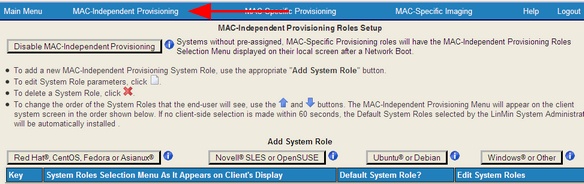
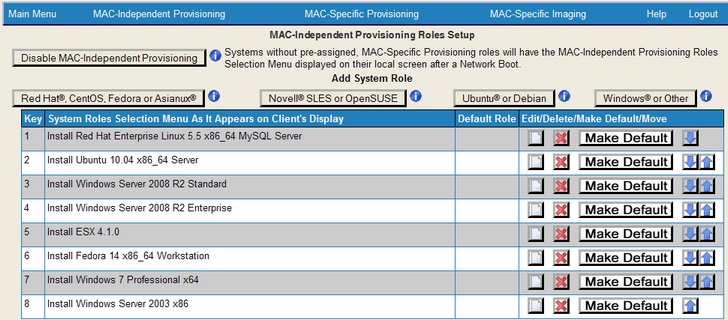
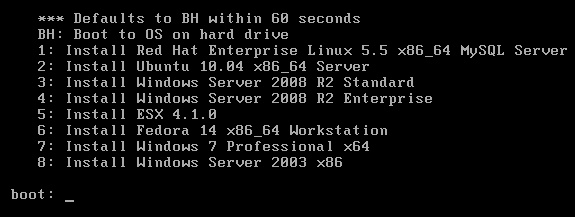



 When you select a “key” (keystroke to be pressed by the user on the client system to provision a certain distro or OS) and you move items up and down, the numbers will be out of order. If you wish to change numbers, please make sure you don’t use an already assigned number. You may also use alphanumeric character strings (with no spaces) instead of single numbers or letters.