Customizing Red Hat and CentOS for Non-English Installations
User's Guide feedback on: Cisco Server Provisioner 6.6 User's Guide ("Chuck Berry") - Customizing Red Hat and CentOS for Non-English InstallationsProvision_Red_Hat_Customize_Non_EnglishTutorial: Provision Red Hat, CentOS, KVM and Fedora > Customizing the Provisioning Process > Customizing Red Hat and CentOS for Non-English Installations /Dear User's Guide Staff,
Customizing Red Hat and CentOS for Non-English Installations
Provisioner, by default, provisions systems with U.S. English language and U.S keyboard support.
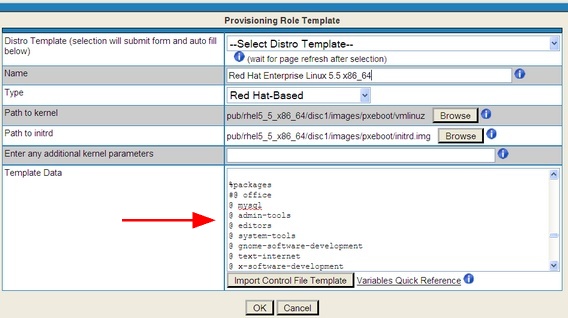
In order to customize the provisioning process to support other languages, edit the kickstart file in the Template Role's GUI page in the area shown below:
Example 1: Provisioning Red Hat Enterprise Linux 5.x and 6.x with Japanese language and keyboard support
Comment out the following lines:
#lang en_US.UTF-8
#keyboard us
Insert the following lines:
lang ja_JP.UTF-8
keyboard jp106
Under %packages, add a line for language support:
@ Japanese-support
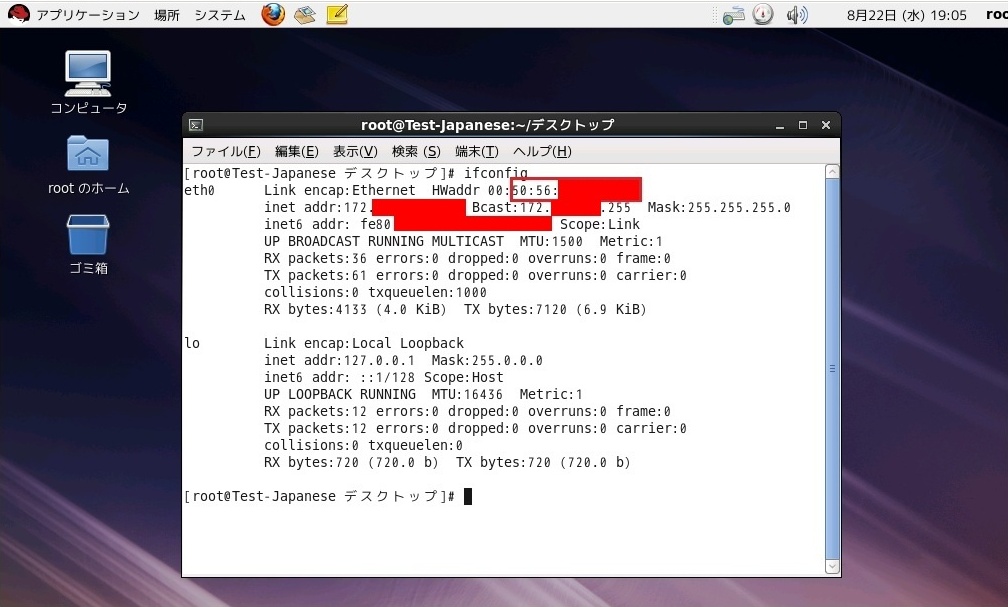
The resulting provisioned system will be similar to:
Example 2: Provisioning CentOS 5.x with Japanese language and keyboard support
Comment out the following lines:
#lang en_US.UTF-8
#langsupport --default=en_US.UTF-8 en_US.UTF-8
#keyboard us
Insert the following lines:
lang ja_JP.UTF-8
langsupport --default=ja_JP.UTF-8 ja_JP.UTF-8
keyboard jp106
Under %packages, add a line for language support and comment out "@ office":
@ Japanese-support
#@ office
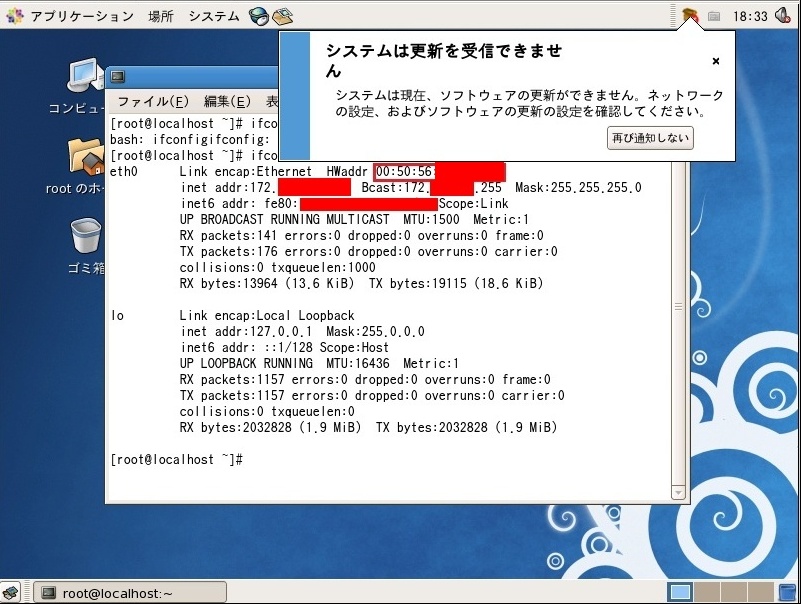
The resulting provisioned system will be similar to: