User's Guide feedback on: Cisco Server Provisioner 6.6 User's Guide ("Chuck Berry") - Install or Upgrade the License Key FileManaging_your_Provisioning_Server_Update_the_License_Key_FileManaging your Provisioner PXE Server > Upgrade the License Key File /Dear User's Guide Staff,
Install or Upgrade the License Key File
Copy the license key file to /usr/local/linmin, then install the license key file:
# cd /usr/local/linmin
# sh yourcompany_{key_details}_lbmp.exp
For example:
# sh LinMinQA-LicenseTest-Trial_C20_Fimgprvpxe_Mepmlpmwpm_E17Jul17_R71FatsDomino_G15Jul18_Iffbb_lbmp.exp
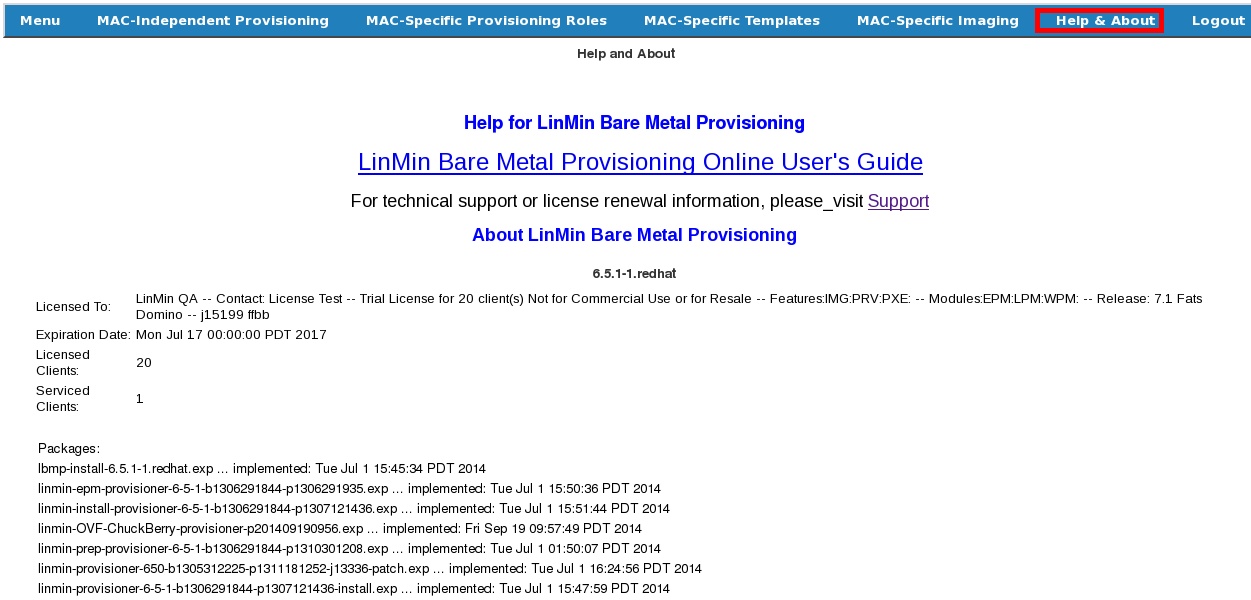
Your Help page will display the details of your license key information, per the example below:
Thirty days before the license expires, the Provisioner PXE Server provides a warning on the About page. When you see the warning, contact Support to renew your license.
If your license expires, the About page displays a notice and allows a 15-day grace period during which you will be able to use your Provisioner PXE Server. However, if you do not renew your license before the grace period ends, the Provisioner PXE Server will no longer provision or image systems.